


Choosing the right Study Desk in 2026 requires more than comparing prices, colors, and online ratings. A desk may look elegant in a product photo, yet feel cramped after two hours of writing. Real performance depends on height, depth, stability, lighting, storage, and daily movement. Small details matter.
Dr. Alan Hedge, a respected ergonomics researcher, once said, “The best posture is always the next posture.” This idea should guide every Study Desk decision. A useful desk should support changing positions, not force the body into one fixed pose. Look for enough depth to place a laptop away from the screen edge. Check whether your knees fit comfortably beneath the frame. Test the surface for wobbling, sharp corners, and distracting reflections.
Room size matters too. Measure the available wall space before choosing a wide model. Leave room for a chair, movement, and cable management. An adjustable Study Desk can support growing students, but adjustment mechanisms may add cost and maintenance. A compact desk may save space, although it can limit books, monitors, or creative materials.
There is no perfect desk.
The best choice depends on the user, room, budget, and routine. This guide compares practical features, ergonomic considerations, materials, and long-term value. Some recommendations may remain subjective. That is worth admitting. Comfort changes from person to person, and even a well-designed desk can fail when the chair, lighting, or screen position is poorly arranged.
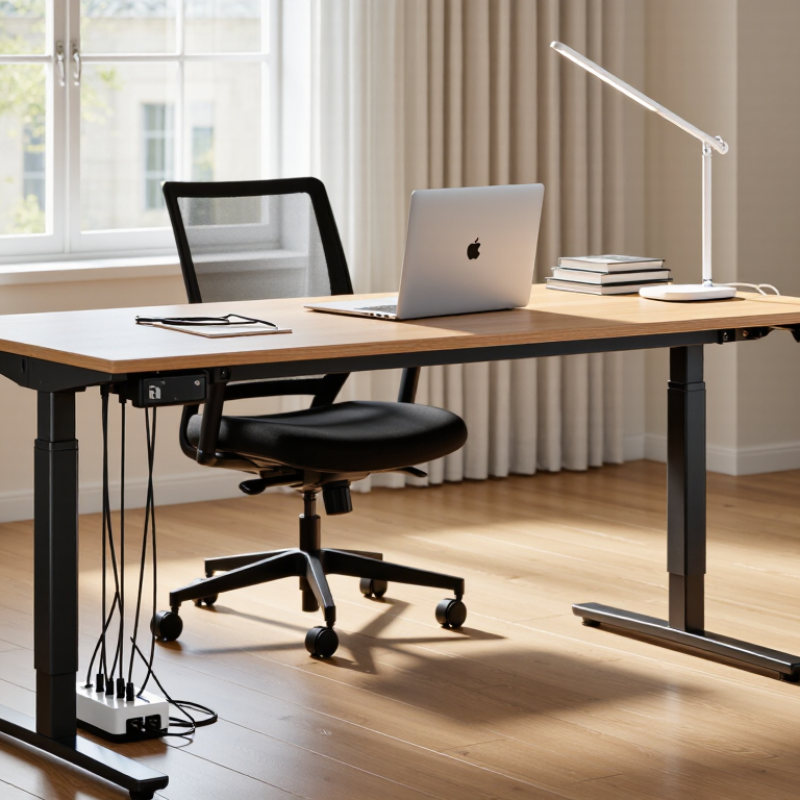
How to Choose the Best Study Desk in 2026?
Your study desk should match your real daily habits, not an imagined routine. Track one normal week before choosing its size. Do you write by hand, use a laptop, or handle several books? A narrow desk may suit short sessions, while deeper work surfaces support research and drawing. Measure your room, chair height, and walking space carefully. I once chose a desk with attractive storage, but its shallow surface made note-taking uncomfortable. That mistake changed how I judge furniture.
Consider your posture and working rhythm. Your elbows should rest near a right angle, with your screen close to eye level. Adjustable height can help if you alternate between sitting and standing. Still, movement matters more than expensive features. Leave enough space for a notebook, water glass, and lamp without crowding your keyboard. A stable frame also reduces distracting movement during typing. Check the materials, weight limits, edge finish, and assembly instructions from reliable sources. Personal comfort can be difficult to measure, so test the desk whenever possible.
Tips: List your daily tasks first. Measure before shopping. Use masking tape to mark the desktop size on your floor. Sit there for ten minutes. Notice shoulder tension, knee clearance, and glare from nearby windows. Keep cables away from your writing area. Reconsider your choice after a week, because habits often reveal problems that measurements miss.
The right study desk begins with your available space, not its appearance. Measure the wall, doorway, and chair area before shopping. A desk 100 to 120 centimetres wide usually supports a laptop, books, and a writing pad. A depth of at least 60 centimetres gives your screen enough viewing distance. For a monitor and keyboard, 70 to 80 centimetres feels less crowded. Leave about 90 centimetres behind the chair for comfortable movement. In a small bedroom, a narrow rectangular desk may work better than a larger model with drawers. I once chose a beautiful desk that blocked a cabinet door. It looked efficient, but daily use became irritating.
Shape also changes how the room feels. Rectangular desks suit shared walls and flexible layouts. L-shaped desks create separate zones for reading and computer work, but they require a clear corner and more floor area. A curved front can soften tight rooms, although it may reduce usable writing space. Check the desk height too. Your elbows should rest near a right angle while typing, with feet flat on the floor. These details support posture better than appearance alone.
Tips: Mark the desk outline with masking tape. Sit inside the shape for ten minutes. Check sunlight, power outlets, and drawer clearance. Measure twice. I still sometimes underestimate cable space.
How to Choose the Best Study Desk in 2026?
A good study desk begins with dependable materials. Solid wood feels warm and resists daily wear, but it can be heavy and costly. Engineered wood offers consistent surfaces and easier maintenance. Check the edges carefully. Poorly sealed edges may swell after small spills. A metal frame can improve strength, especially for heavier equipment. However, thin metal may bend under pressure. Material choice should match your room, workload, and cleaning habits.
Stability matters more than appearance. Sit down and gently press each corner. The desk should not rock or creak. Adjustable feet can correct uneven floors. A rear support bar may reduce movement during writing. Storage also affects comfort. Drawers should open smoothly without striking your knees. Shelves can hold books, but overloaded shelves may make the desk feel unstable. Keep frequently used items within easy reach.
Surface design deserves close attention. A matte finish usually reduces reflections from lamps and windows. A slightly textured surface can prevent notebooks from sliding. Leave enough clear space for writing, a computer, and a drink. Cable openings help, but poorly placed holes can interrupt usable space. I once chose a beautiful desk with limited legroom. It looked excellent, yet long study sessions became uncomfortable. Measure your chair, knees, and wall space before buying. No desk fits every learner perfectly.
| Desk Type | Typical Size (W × D) | Common Materials | Top Thickness | Stability Features | Storage Configuration | Surface Design | Best Use |
|---|---|---|---|---|---|---|---|
| Compact Student Desk | 900–1000 × 450–500 mm | Engineered wood with a melamine or laminate finish; steel or wood legs | 15–18 mm | Four-point leg support; adjustable feet are preferred for uneven floors | Open shelf, pencil drawer, or small side compartment | Easy-clean rectangular top with a cable opening or rear gap | Small bedrooms, homework, and laptop use |
| Standard Study Desk | 1100–1300 × 550–650 mm | 18–25 mm engineered wood, solid wood, or a wood-and-steel combination | 18–25 mm | Rigid side panels or a rear stretcher reduce side-to-side movement | One or two drawers plus an open storage area | Room for a monitor, notebook, lamp, and writing materials; rounded front edge improves comfort | Daily studying, reading, and computer work |
| Solid-Wood Study Desk | 1100–1400 × 600–750 mm | Solid hardwood or softwood with a protective oil, wax, or lacquer finish | 20–30 mm | Mortise-and-tenon, dowel, or reinforced screw joints; a rear stretcher improves rigidity | One to three drawers; usually less concealed storage than engineered-wood desks | Natural grain, repairable finish, and a durable writing surface; coasters are recommended for liquids | Long-term use and traditional interiors |
| Height-Adjustable Desk | 1100–1400 × 600–750 mm | Laminate or wood top with a steel electric or manual lifting frame | 18–25 mm | Wide feet, telescopic legs, synchronized lifting columns, and a level floor are important | Usually limited to a cable tray or under-desk drawer | Large flat work area; rounded corners and a matte finish reduce glare during screen use | Alternating sitting and standing positions |
| Wall-Mounted Folding Desk | 800–1200 × 400–550 mm | Laminate-faced engineered wood, plywood, or solid wood with metal brackets | 18–25 mm | Load-bearing wall fixings and correctly installed folding brackets are essential | Wall shelves, compartments, or a fold-down storage cavity | Space-saving foldable top; cable routing should be planned before installation | Very small rooms and occasional study use |
| Computer Study Desk | 1200–1500 × 600–750 mm | Engineered wood or laminate top with a powder-coated steel frame | 18–25 mm | Metal crossbar, reinforced frame joints, and a stable monitor area reduce vibration | Keyboard tray, CPU shelf, monitor riser, or cable-management basket | Rear cable grommets, matte finish, and sufficient depth for a monitor and keyboard | Desktop computers, online classes, and extended screen work |
| Corner Study Desk | 1200–1600 × 1200–1600 mm overall | Laminate or melamine panels with steel, engineered-wood, or mixed-material supports | 18–25 mm | Corner support, multiple legs, and a solid rear connection help prevent flexing | Corner shelves, drawers, and side cabinets provide high storage capacity | L-shaped surface separates reading, writing, and computer zones | Multi-purpose rooms and dual-monitor setups |
Measurement note: Dimensions and construction details are typical ranges for commonly available study-desk configurations. Always verify the manufacturer’s stated load capacity, assembly requirements, wall-fixing limits, and adjustable-height range before purchase.
A good study desk should support your body, not force it into position. When seated, your feet should rest flat on the floor. Your elbows should stay near a 90-degree angle while typing. Keep the monitor close to eye level. This reduces repeated neck bending during long study sessions. I learned this after spending several evenings with sore shoulders. The desk looked attractive, but its height was wrong.
Adjustability matters because students do not share the same body proportions. Choose a desk with a height range that matches your chair and working posture. A sit-stand option can also encourage movement, but changing position takes discipline. I often forgot to raise mine. That was my mistake. Leave enough depth for your screen, keyboard, notebook, and forearms. A crowded surface quietly creates awkward wrist angles.
Long-term comfort also depends on stability, edge design, and lighting. A desk should not wobble when you write quickly. Its front edge should feel smooth against your wrists. Check whether the surface remains comfortable after an hour, not just five minutes. Measure your room before buying, including space for your chair and leg movement. Professional ergonomic guidance can help, but individual comfort still requires testing. Your ideal setup may need small adjustments over time.
Set a spending limit before comparing desks.
The 2023 U.S. Bureau of Labor Statistics Consumer Expenditure Survey recorded average household spending of $2,264 on furniture and equipment. That figure covers every room, not one study desk. Treat it as context, not a target. A practical budget can separate essentials from attractive extras. Reserve money for a stable frame, a suitable chair, and cable management. A cheaper desk may become expensive after repairs or replacement. The calculation will not be perfect.
Measure your room, not your imagination.
Allow at least 60 centimeters behind the chair and enough space for your knees. A 120–140-centimeter-wide desktop usually fits a laptop, notebook, and lamp without feeling crowded. The desk should keep your elbows near a right angle while typing.
EU-OSHA’s OSH Pulse 2022 survey reported that three in five European workers experience musculoskeletal complaints. Poor sitting habits can make studying uncomfortable, even with a beautiful desk.
Check height, edge softness, load capacity, and wobble in person when possible. Adjustable height is useful, but it should not consume the entire budget. A simple, solid desk may serve better than a feature-heavy model.
Get the latest news straight from us on all our new products, features, services, and much more!
